
Most parental control apps make big promises on their landing pages and fall short once you actually install them. Features work inconsistently across devices, dashboards become cluttered and hard to navigate once real data starts flowing in, and apps that performed well for months suddenly stop syncing after a routine software update.
Parents who have already been through that experience once or twice arrive at the next product with reasonable skepticism, and that skepticism is worth keeping when evaluating anything new in this category.
The Eyezy app has attracted significant attention over the past two years, and the question worth answering is whether that attention reflects genuine quality or effective marketing. After examining it thoroughly across both Android and iPhone, the answer is clear: Eyezy app earns its reputation. It is the most complete, reliable, and genuinely usable parental control app available in 2026, and this review explains precisely why that conclusion holds up against close scrutiny.
First Impressions and Setup Experience
The setup process tells you a lot about how seriously a development team has thought about their actual users. Parental control apps are used by people who are not necessarily technical, who are often stressed about a specific situation with their child, and who need to get from purchase to working dashboard as quickly as possible.
iPhone Setup
Eyezy’s iPhone installation requires no software on the target device. You enter the Apple ID and password associated with the iPhone you want to monitor, and Eyezy syncs data through Apple’s iCloud infrastructure. The dashboard begins populating within minutes. There is no jailbreaking, no profile installation that a teenager might notice and question, and no ongoing maintenance required on the device side. When Apple releases an iOS update, Eyezy’s server-side integration handles compatibility without any action from the parent.
Android Setup
Android requires a short installation window, around ten minutes of physical access to the target device. The onboarding documentation is written clearly enough that a non-technical parent can follow it without difficulty. Once installed, Eyezy runs invisibly: no home screen icon, no entry in the recent apps list, no unusual battery drain that might prompt questions. The app syncs data continuously and the dashboard updates in close to real time as new activity occurs on the monitored device.
Both setup processes reflect careful thinking about the actual user experience rather than just the technical requirements, and that consideration carries through into every other part of the product.
Core Features: What Eyezy Actually Delivers
Social Media and Message Monitoring
Eyezy’s Social Spotlight feature is the strongest implementation of social media monitoring available in any parental control app in 2026. It covers Instagram, WhatsApp, Snapchat, TikTok, Facebook Messenger, Telegram, and iMessage, showing full sent and received message content organized by contact and timestamp. This is not surface-level notification monitoring; it is actual message content, including media shared within conversations on supported platforms.
The depth here matters because the risks children face online in 2026 are concentrated in messaging and social media. A web filter that blocks adult websites does not address a stranger initiating contact through Instagram DMs or a classmate sending harmful content through Snapchat. Eyezy’s monitoring reaches into those conversations directly, giving parents the information they need to respond to real risks rather than theoretical ones.
Magic Alerts and Keyword Monitoring
The Magic Alerts system allows parents to define specific keywords or phrases that trigger an immediate notification when they appear anywhere in monitored activity, across all platforms simultaneously. Parents set the keyword list based on their specific concerns, whether that involves drug-related terms, the name of a person they are worried about, or phrases associated with self-harm. The alert arrives on the parent’s device without requiring them to log into the dashboard and search manually.
This feature is practically valuable in a way that general monitoring alone is not, because it focuses parental attention on the moments that actually require a response rather than requiring constant manual review of all activity.
GPS Location Tracking
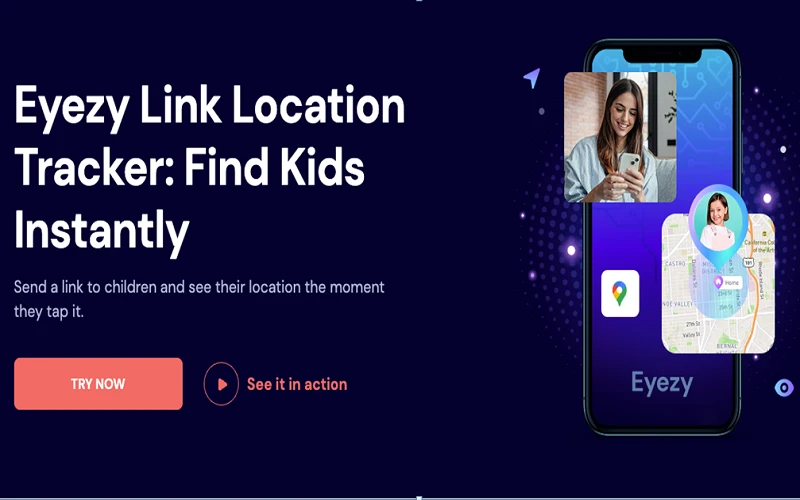
Eyezy’s location tracking shows real-time GPS position with several days of location history accessible through the dashboard map interface. The accuracy is reliable across urban and suburban environments, and the history log allows parents to trace a route rather than just seeing a current pinpoint. For families where children travel independently to school, sports practice, or social activities, this feature alone justifies a significant portion of the subscription cost.
Screen Time and App Management
Daily time limits are configurable per application or per device, with scheduling options for school hours, homework time, and bedtime. The app blocking feature lets parents disable specific applications entirely, which is more effective than time limits for apps that have become genuinely problematic. Web filtering operates across all browsers on the device rather than only within a proprietary browser, closing the workaround that older children discover within minutes of encountering single-browser restrictions.
Dashboard Design and Usability
The Eyezy dashboard is organized around the data categories parents actually care about rather than the technical architecture behind the app. Switching between message monitoring, location, web history, and app usage takes one click from any screen. Data is searchable, filterable by date range and contact, and exportable when documentation is needed. The mobile browser experience is as clean as the desktop version, which matters for parents who check in from their phone rather than a computer.
Eyezy vs. The Competition
Eyezy leads or matches the strongest competitors across every category and outperforms them where it matters most: social media monitoring depth, dashboard usability, and reliability through OS updates. Bark’s AI alerting is genuinely good but the feature gaps around screen time and location make it an incomplete solution.
Qustodio is a strong alternative but its social media monitoring does not reach the conversation level that Eyezy’s Social Spotlight achieves. mSpy and Parentaler are capable tools that serve their users well, but neither matches Eyezy’s combination of depth and usability in a single package.
Conclusion
Eyezy is not overhyped. It is the best parental control app available in 2026 because it solves the complete problem rather than a well-marketed slice of it. Social media monitoring reaches actual message content. Location tracking is accurate and includes history. Screen time controls work across apps and browsers.
The dashboard is genuinely easy to use on both desktop and mobile. Setup on both iPhone and Android is straightforward enough for any parent regardless of technical background. If you are evaluating parental control apps and want a single recommendation that holds up under examination, Eyezy is it.